 Buy Now
 Free Download
 Features
 Testimonials
 How it Works?
 Price
Price Reviews
 Specs
Specs Help
Help FAQ
FAQ



Step 1
: Select File Type
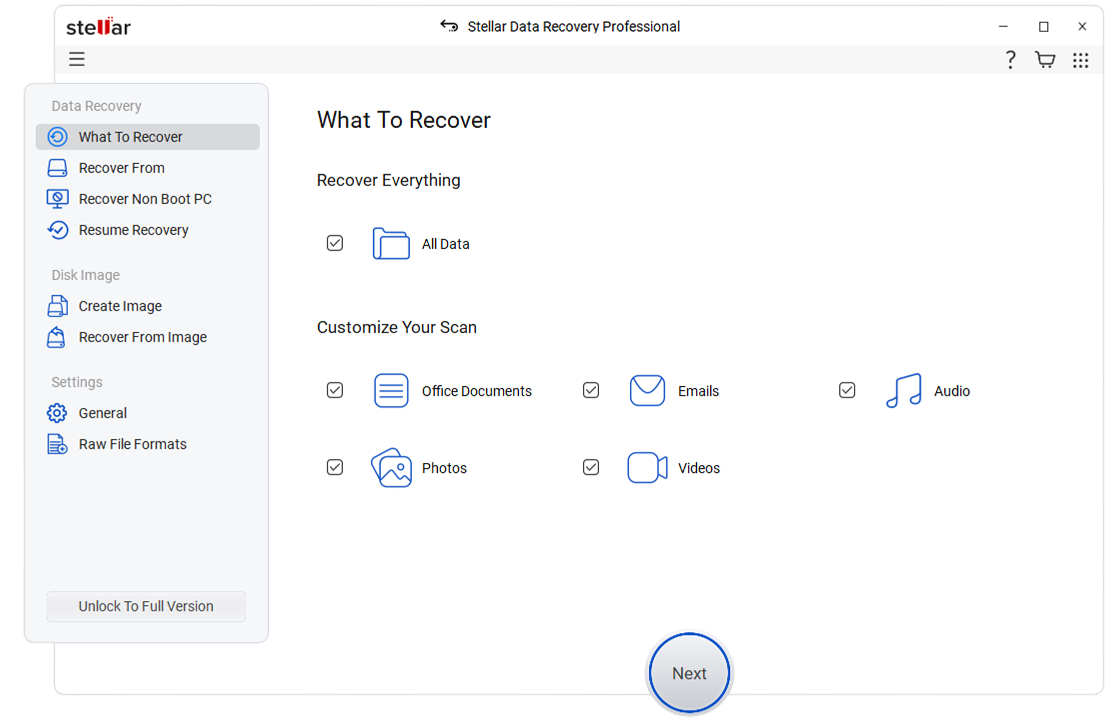
Select the type of data that you want to recover and click 'Next.'
 For Individuals
For Individuals
 Data Recovery
 File Repair
 Data Erasure
  For Business
For Business
 Email Repair
 Email Converter
 Email Migration
 File & Database Repair Data RecoveryData Erasure
 Toolkit
 Forensic
 Lab Services
  Support
We offer you an all-in-one professional data recovery software to cover various data loss scenarios. Stellar Data Recovery Professional can help you to:
*A Free version allows you to scan and preview files that can be recovered
*A Free version allows you to scan and preview files that can be recovered




"Stellar Data Recovery is easy to use and works well on hard disk drives, and the advanced repair tool even restored some SSD files, a rare feat."
Stellar Data Recovery Professional for Windows
Unlock the potential of professional data recovery software with Stellar Data Recovery Professional formally known as Stellar Phoenix. No matter the file format or storage device, we offer fast, professional data recovery from data loss caused by a wide range of factors.


 Hard Disk
Supports all major hard drive brands.
Hard Disk
Supports all major hard drive brands.
 PC/Laptop
Compatible with all PC and laptop brands.
PC/Laptop
Compatible with all PC and laptop brands.  SSD Compatible with leading SSD brands.
 External Drive Works seamlessly with top external drive brands.
 USB Works with all major USB drive brands.
  SD Card Compatible with all major memory card brands.
 ONE-STOP SOLUTION FOR ANY DATA RECOVERY NEEDS

Accidental file removal doesn’t mean you can’t access your files anymore. Harness the power of Stellar Data Recovery Professional to bring back even permanently deleted files.

Use Stellar Data Recovery Professional to access “BitLocker” encrypted hard drives, SSDs, external storage, and even disk image files. Use “Deep” or “Quick” scan options to effectively locate and retrieve the needed data.

Lost files due to drive corruption, deletion, or accidental formatting? With Stellar Data Recovery Professional, such data loss is not final. Use our software solution to recover deleted or missing partitions easily.

Create a bootable recovery drive to retrieve files from a Windows system that can’t boot due to a virus attack, hard drive failure, or corrupted system files.
SUCCESS STORIES
More Features

Stellar Data Recovery recovers from severely corrupted physical disks that have become RAW (unformatted or with a corrupt file system). The software uses signature-based recovery to identify and recover data based on specific "signatures" or unique patterns of bytes that are characteristic of a particular file type. This is helpful when the file system is damaged, lost, or corrupted, and traditional file system recovery methods (like NTFS or FAT recovery) aren't effective.

The software gets back lost or deleted email data files including Microsoft Outlook (PST), Outlook Express (DBX), Exchange Server (EDB), and many other file types. You just need to select 'Emails' under 'Documents, Folders & Emails' in the 'Select What to Recover' screen and scan your hard drive; the software will list all the lost or deleted email files for recovery.

You can see an enhanced view of the files found in the scanning process. The software scans each sector of the storage media drives to find lost or deleted files and neatly categorizes the scanned data in Tree View, File Type, and Deleted List formats for effortless data sorting and verification before saving. In addition, you can preview files to ensure their quality and then recover them.

The add-on Drive Monitor utility reads and displays your hard drive's key attributes, including temperature, drive health, and performance. This utility is quite helpful in preventing further damage to the drive that may occur due to increasing bad sectors, severe corruption, and other such reasons, eventually causing the drive to fail and putting data at stake.

Stellar Data Recovery Professional provides an advanced capability to recover lost or deleted data from 4K hard drives. It can perform deep scanning on large-sized sectors of 4096 bytes and retrieve the data in scenarios like deletion, corruption, lost partition, etc. The tool supports 4K drives formatted with FAT32, ExFAT, or NTFS file systems.


The new 'Pause and Resume Scan' feature of the software lets you pause a scan and resume at a convenient time. Users can preview their recoverable files while the scan is running and restore them without waiting for the scan to complete.

Stellar Data Recovery Professional for Windows offers a powerful feature to recover data from scratched or corrupt optical media. The software supports data recovery from CD, DVD, HD DVD, and Blu-ray disc, burnt on any system. It also maintains the original file names and folder structure of the recovered files.

The software offers Disk Imaging and Drive Cloning features. The 'Disk Image' allows you to create an image of the hard disk to perform data recovery later using that disk image. The 'Drive Cloning' feature helps you create a replica of the hard drive on a different drive. These features help recover data from logically damaged hard drives or drives with bad sectors.
Stellar Professional Data Recovery Software Walkthrough
Select the type of data that you want to recover and click 'Next.'
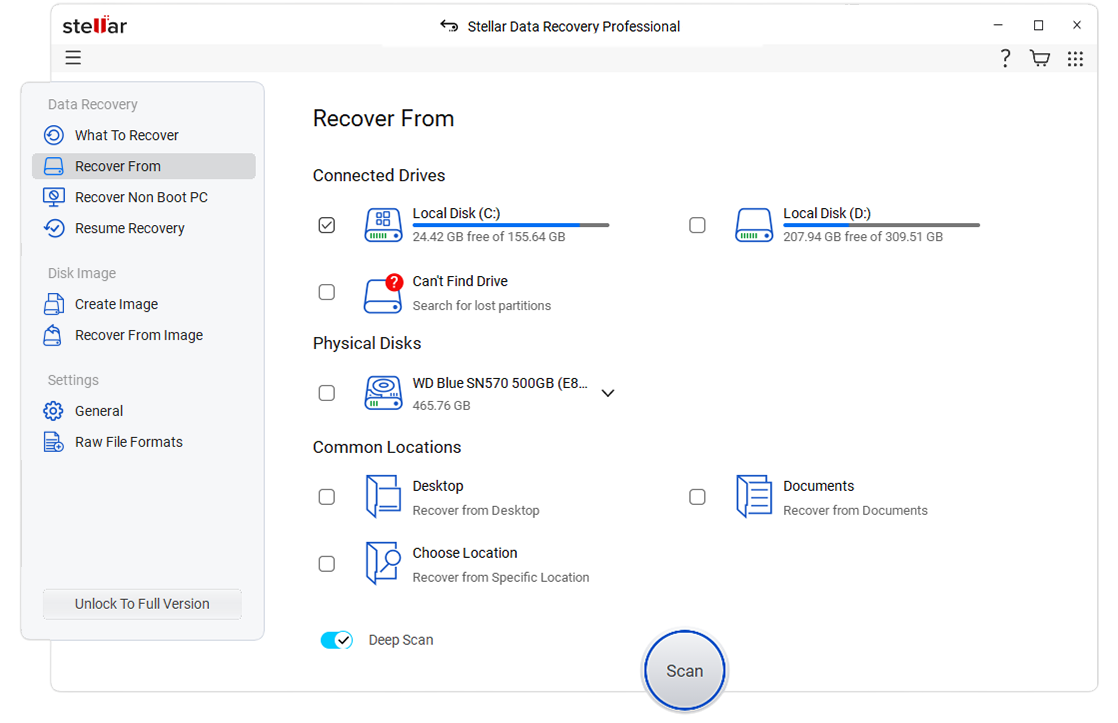
Select the folder location or drive volume and click 'Scan.'
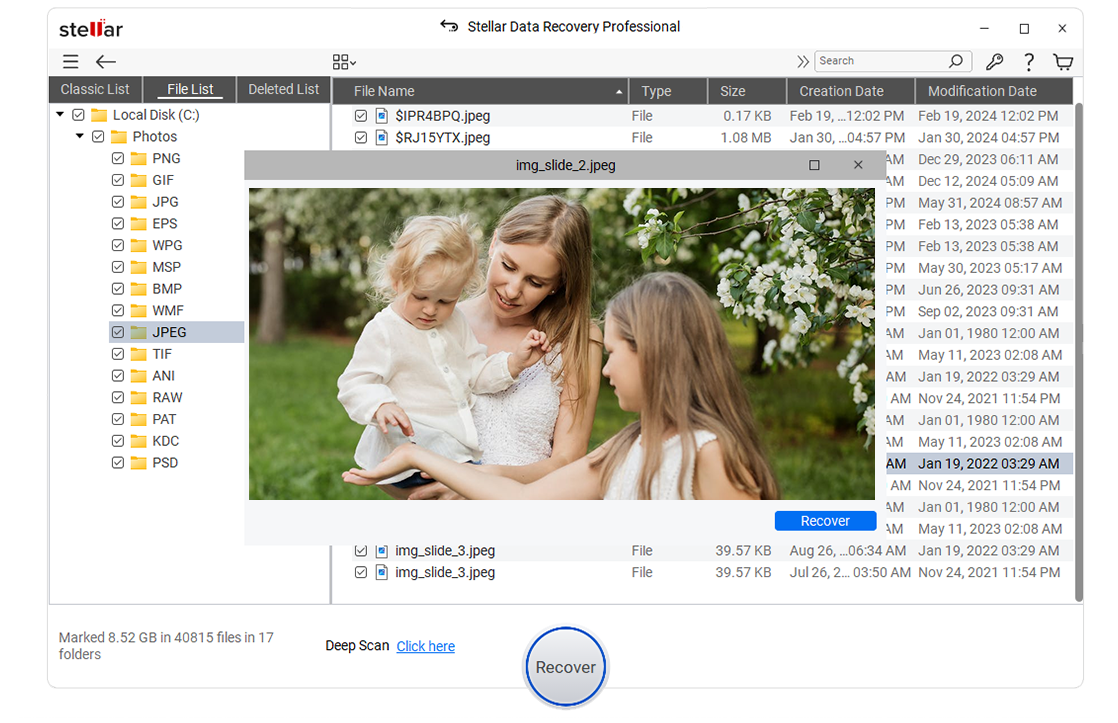
Select files after the scan and click 'Recover' to save recovered data.
 WATCH NOW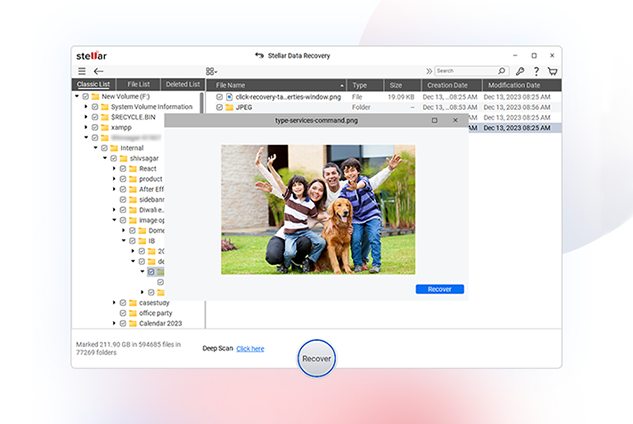
PRICING
CUSTOMER REVIEWS




Stellar Data Recovery review: A fast, highly customizable file recovery tool.
Stellar Data Recovery is one of the best data recovery tools we've used, with highly customizable searches, a huge file-type library, and deep scan abilities.
See Techradar Review
It has just one job, and it does that to perfection: recovering data of all kinds.
Stellar Data Recovery's strongest point, after its data recovery and repair capabilities of course, is its simplicity.
See Windows Report Review

Stellar set out to create software that is designed for the people that prefer the DIY method of fixing things.
Stellar Data Recovery Premium for Windows is the best place to start for your data recovery mission. It's the only software in the world that has the ability to recover your data as well as repair your video and image files.
See XDA - Developers Review

Best For High Volumes Of Files
Stellar Data Recovery is the best data recovery software for businesses that need to recover large amounts of data. It offers a wide range of features, including the ability to recover data from SSDs, and it has a very high success rate.
See Forbes Review
DATA SHEET

| Version: | 12.3.0.2 |
| License: | Single System |
| Edition: | Professional, Premium, Technician, Toolkit |
| Language Supported: | English, Deutsch, Français, Português Brasileiro, Dutch, Italiano, Español, 日本語 , 한국어, हिंदी, 中国人 |
| Release Date: | September, 2025 |
| Processor: | Intel compatible (x64-based processor) |
| Memory: | 4 GB minimum (8 GB recommended) |
| Hard Disk: | 250 MB for installation files |
| Operating System: (64 Bit only) |
Windows 11, 10, 8.1, 8 and Windows Server 2022, 2019, 2016 |
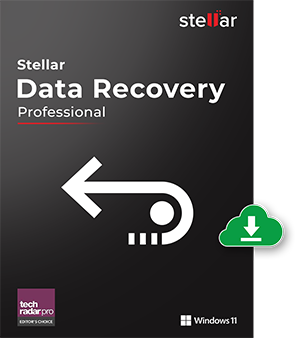
TRY BEFORE YOU BUY
*A Free version allows you to scan and preview files that can be recovered
USEFUL ARTICLES
FIND YOUR ANSWERS
Stellar Data Recovery Professional software helps convert a normal USB device into a bootable media drive to help you recover data from a non-booting crashed Windows OS. Follow the provided steps. Learn More
Partition recovery is an advanced data recovery process that helps you find lost and deleted drive partitions and scan them for data recovery. You may need to perform partition recovery when your hard drive partitions run into an error and don't appear in File Explorer.
'Quick Scan' helps you scan the selected drive faster. This mode is helpful in all data loss or deletion cases on Windows-based storage drives. Whereas 'Deep Scan' does a comprehensive, file signature-based search to maximize data recovery chances in tough data loss such as drive formatting, corruption, etc. Deep Scan is particularly useful when files couldn't be found with 'Quick Scan.'
You can run the software on a dual monitor setup and perform multiple tasks without switching or minimizing the screens. In addition, the feature helps perform complex data tasks such as recovering from corrupted or lost partitions with precision and ease.
'Quick Scan' performs a faster scan on your selected drive or volume. This mode of scan is used in almost all cases of data loss or deletion on Windows-based storage drive. Whereas 'Deep Scan' does a comprehensive file signature-based search to maximize recovery in tough cases of data loss such as drive formatting, corruption, etc. Deep Scan is particularly useful for recovering the files that couldn't be found with 'Quick Scan.'
The software can recover data from scratched, corrupted, or partially burnt optical media such as CDs, DVDs, HD DVDs, and Blu-ray discs. It also maintains the recovered files' original file names and folder structure.
When you cannot find your system or removable storage drive in File Explorer, or it appears Unallocated in Disk Management, the drive has turned RAW. You may use the 'Physical Disk' option to locate and recover data from RAW or inaccessible Physical or Removable Disks.
Yes. Data can often be recovered from a formatted drive using Stellar Data Recovery, as long as the data hasn’t been overwritten. Running a Deep Scan improves recovery chances in formatted drive scenarios.
No. No data recovery software can guarantee 100% recovery. Recovery success with Stellar Data Recovery depends on factors such as data overwrite, device condition, and how quickly recovery is attempted after data loss.
Yes. Stellar Data Recovery is safe to use — it runs in read-only mode to scan your drive without making changes, protecting your existing data.
Yes. Stellar Data Recovery can recover data from RAW or corrupt drives using advanced scanning, as long as the drive is detected by the system and not physically damaged.
Recovery time with Stellar Data Recovery depends on the amount of data selected, file sizes, and the destination drive’s speed. Small recoveries may complete in minutes, while large data sets can take longer.
Yes. Stellar Data Recovery is compatible with both 32-bit and 64-bit Windows systems, and supports Windows 11, 10, 8.1, and 8.
Stellar Data Recovery supports recovery from all major Windows file systems — including NTFS, FAT (FAT16/FAT32), exFAT, and ReFS.
Yes. Stellar Data Recovery preserves the original folder hierarchy, allowing you to recover files in their original locations for easier identification and organization.
Yes. Stellar Data Recovery supports SSD data recovery. However, recovery success depends on factors like TRIM support and data overwrite, so attempting recovery as soon as possible is recommended.
If your device is physically-damaged, or you want an expert to handle your data recovery job; our 'Lab Experts' can help.
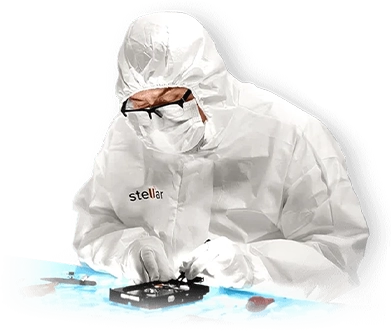

If your device is physically-damaged, or you want an expert to handle your data recovery job; our 'Lab Experts' can help.
Learn MoreWHY STELLAR® IS GLOBAL LEADER
0M+
Customers
0+
Years of Excellence
0+
R&D Engineers
0+
Countries
0+
PARTNERS
0+
Awards Received





Listening...
 Installation
  Uninstallation
  EULA
EULA Knowledge Base
